PC Specs Guide
Tomb Raider: Legacy of Atlantis System Requirements: Minimum, Recommended, and Steam Deck Checks
Use this source-aware PC guide to compare the current Steam requirements for Tomb Raider: Legacy of Atlantis, understand what the CPU and GPU tiers imply, and decide whether to upgrade now or wait for launch benchmarks before buying.
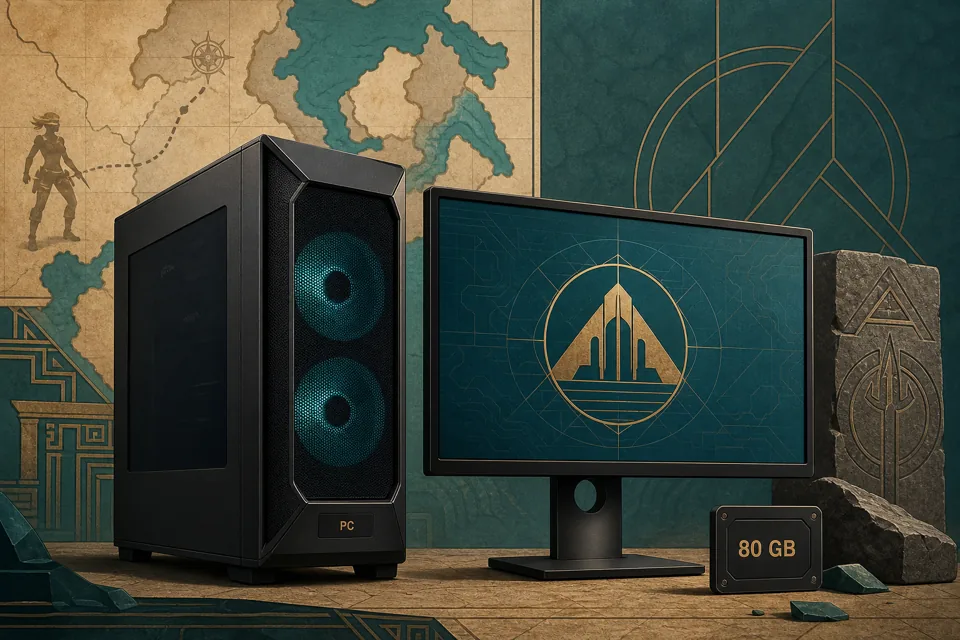
- Minimum GPUGTX 1070 / RTX 2060 Super
- Recommended GPURTX 3080 / RX 6800 XT
- Memory16 GB RAM
- Storage80 GB
Quick answer
The current Steam listing makes Tomb Raider: Legacy of Atlantis a modern mid-to-high PC target rather than a light remake. Minimum spec starts at Windows 10/11 64-bit, Intel i5-8600 or Ryzen 5 3600, 16 GB RAM, and GTX 1070 8 GB, RTX 2060 Super, or Radeon RX 5700 class graphics. Recommended spec moves to Intel i7-9700K or Ryzen 5 5600X with RTX 3080 or Radeon RX 6800 XT class graphics. Steam does not yet state the resolution, graphics preset, frame-rate target, ray-tracing mode, upscaling assumptions, or Steam Deck verification status, so treat the table as a baseline checklist rather than a final performance promise.
- If your PC is below the minimum GPU tier, wait for real benchmarks before preordering on PC.
- If you meet minimum but not recommended, expect to compare settings, upscaling, and patch notes after launch.
- If you already own an RTX 3080 or RX 6800 XT class card with 16 GB RAM, your system is close to the recommended target, but final performance still depends on settings and drivers.
- The 80 GB storage line should be treated as a planning number; leave extra free space for patches, shader cache, captures, and save backups.
Official Steam system requirements
Steam is the safest source for the current PC requirements because the listing can be updated by the publisher before launch. The table below mirrors the current minimum and recommended rows while adding practical interpretation for buyers who need to decide whether their current hardware is close enough.
| Part | Minimum | Recommended | What it means |
|---|---|---|---|
| Operating system | Windows 10/11 64 Bit | Windows 10/11 64 Bit | A 64-bit Windows setup is required. Keep the OS, GPU driver, Visual C++ runtimes, and controller firmware current near launch. |
| Processor | Intel i5-8600 or AMD Ryzen 5 3600 | Intel i7-9700K or AMD Ryzen 5 5600X | The jump points to a game that may lean on modern CPU threads during streaming, traversal, combat encounters, and Unreal Engine 5 scenes. |
| Memory | 16 GB RAM | 16 GB RAM | Sixteen gigabytes is both the floor and recommended amount, but closing browsers and launchers can still matter on systems with shared memory pressure. |
| Graphics | GTX 1070 8 GB / RTX 2060 Super or AMD RX 5700 | RTX 3080 or AMD RX 6800 XT | The recommended GPU tier is much higher than the minimum tier, so visual targets may differ sharply by resolution, preset, upscaling, and post-launch optimization. |
| Storage | 80 GB available space | 80 GB available space | Install on an SSD if possible and leave additional free space for patches, shader cache, screenshots, and temporary update files. |
How to read the CPU, GPU, RAM, and storage lines
A requirements table is useful only if you connect each line to real play decisions. For a cinematic action-adventure, the difference between minimum and recommended usually affects resolution, texture quality, frame pacing, loading, and how much headroom remains for recording, Discord, browser tabs, or overlays.
Why the processor tier matters
The i5-8600 and Ryzen 5 3600 minimum tier suggests that older quad-core PCs may struggle even if the graphics card looks close. Tomb Raider games often combine traversal, scripted scenes, physics, streaming assets, and combat logic, so CPU dips can appear as stutter rather than just lower average FPS.
Why the recommended jump is big
Moving from GTX 1070 or RTX 2060 Super class hardware to RTX 3080 or RX 6800 XT is a large jump. That does not automatically mean minimum is unplayable, but it does mean PC buyers should wait for tests before assuming high settings, ultrawide resolution, ray tracing, or handheld performance.
Why 16 GB is the practical floor
Both spec rows list 16 GB RAM. That is reassuring for builders who already meet the number, but it still leaves little room for memory-heavy browsers, recording tools, texture packs, or OS background work. A clean boot can matter more than people expect.
Why 80 GB is not the whole drive plan
The 80 GB line is the install estimate, not a comfort margin. Games can download compressed data, unpack temporary files, build shader caches, and receive large day-one patches. Keeping 20 to 40 GB beyond the listed install size is the safer plan.
Upgrade priority before launch
Do not upgrade just because one line looks intimidating. Use the requirements as a triage list and wait for launch-week benchmark evidence when the decision involves expensive hardware.
Check the GPU first
If your card is below GTX 1070 8 GB, RTX 2060 Super, or RX 5700 class, the PC version is a risk until independent benchmarks show settings that work. GPU and VRAM are usually the most visible bottlenecks for texture quality and resolution.
Confirm CPU and RAM together
A Ryzen 5 3600 or i5-8600 class CPU with 16 GB RAM is the minimum baseline. If you barely meet one of those lines but not the other, wait for measured frame-time results rather than relying on average FPS clips.
Move the install to SSD storage
The Steam table does not specify SSD, but a modern Unreal Engine 5 adventure will benefit from fast storage for asset streaming and patch handling. Keep the install on an SSD when possible and avoid nearly full drives.
Delay luxury upgrades
A new monitor, ultrawide setup, capture card, or ray-tracing upgrade should wait until reviewers show exact settings, resolution targets, shader compilation behavior, and whether upscalers such as DLSS, FSR, or XeSS are available.
Steam Deck and handheld PC status
Steam Deck status should be treated as unconfirmed until Valve or the publisher marks the game verified, playable, unsupported, or unknown on the Steam page. The listed minimum GPU class is far above a handheld target, and the requirements do not mention 720p, 800p, low settings, upscaling, or controller-specific UI behavior. If handheld play is your main reason to buy on Steam, wait for compatibility notes and real footage from the launch build.
- Check the Steam Deck compatibility badge on the Steam page, not only social posts or short clips.
- Look for stable frame-time testing, not only a few seconds of cave or menu footage.
- Confirm subtitle size, controller prompts, cloud saves, offline behavior, and launcher requirements.
- Treat any pre-release handheld claim as provisional until a retail build and patch notes are available.
Store notes and unresolved questions
Several useful PC questions are still not answered by the current requirements table. That is normal before release, but it changes how you should read any compatibility claim.
| Question | Current answer | Next check |
|---|---|---|
| What resolution do the specs target? | Steam lists hardware but not resolution, frame rate, or graphics preset. | Wait for official PC feature notes or benchmark coverage. |
| Is ray tracing required? | The listing does not say that ray tracing is required for minimum or recommended play. | Check launch settings, driver notes, and graphics menus. |
| Will DLSS, FSR, or XeSS be available? | The current public requirements table does not explain upscaling assumptions. | Look for PC features trailers, patch notes, or store updates. |
| Can it run on older 8 GB RAM PCs? | No. Both official rows list 16 GB RAM. | Do not treat 8 GB as a safe target unless a verified low-end benchmark proves otherwise. |
| Is the PC version safer than console? | PC gives settings control, but console offers fixed hardware targets. | Use the preorder guide if your decision is mainly about platform choice and refunds. |
Official sources to check
Because requirements can change before release, this guide treats official store and publisher pages as the source of record and avoids unsafe download mirrors or rumor-only spec lists.
FAQ